


Welcome back to GameDevCola! This time I’ll be discussing all the little intricacies that make designing videogames more complicated than you might expect. From movement to map design to the user interface, every tiny aspect of the game requires a conscious decision to be made about how something should look or work. Often times, it requires quite a lot of effort; even things that might seem simple can be very complex behind the scenes.
Want to draw a popup message box with some text? Here’s some design questions you might need to consider: Where should that be located on the screen, and how big should it be? Should it be transparent or solid? What color should the text be? How much text can fit in a single box? Should it change size dynamically with its contents, or should we restrict the text data to fit in a standardized space for each message? Okay, now that you’ve pondered those questions and come to a decision for each one, now you still have to design what it all looks like, and write the code to make it happen. And that’s just the work necessary for making a message box. Now do that same process again for the entire game.
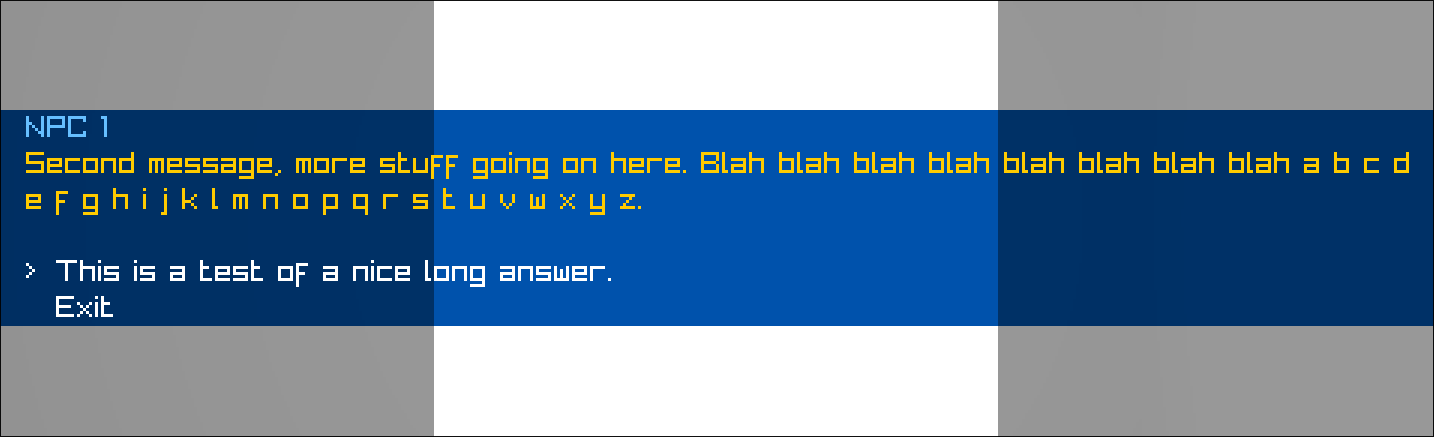
Another example: movement. In my game Gridlocked, movement happens on a tile grid (though that isn’t where the game gets its name from). When the player presses the appropriate movement key, move them one tile in that direction, then stop and wait for them to press another key. Easy, right? Well…sort of. Where it gets complicated is all the little things that we need to consider when handling movement: What if the player is already in the midst of moving? What if there’s a wall blocking where they want to go, or they’re trying to go outside of the map boundaries? What if there’s a door, and we need to play a door-opening animation before the player can move? What if the last tile the player stood on was a warp or map transition and we’re in the middle of teleporting? What if there’s a message box or menu on-screen? What if an enemy or NPC is trying to move onto the same destination tile as the player or another enemy? Now perhaps you see how this might be more difficult than it sounds.
For a look at the bigger picture, here’s a breakdown of the broad technical design of my game so far: The way I’ve currently designed things, my game runs its main loop in three phases: Input, Update, Draw. In the “Input” phase, we process keyboard and controller inputs and determine what effects they will have on the game. This includes movement, of course, but also things like opening the menu or map screen, moving the cursor in message boxes or menus, being able to close those screens with the “confirm” or “cancel” key, and much more. Sometimes the inputs the player makes don’t have instantaneous effects, but rather they begin a continuous process that happens over a period of time. For instance, movement happens over the course of a half-second interval. We check as soon as the movement begins if a player’s desired trajectory will bonk against a wall or other obstacle, and we mark that information down for later, but allow the movement to initially proceed, so that there’s always visual feedback that your key press has done something.
In the “Update” phase, we do the bulk of the game’s processing for that frame, including moving the player a fraction of the distance towards their destination, and refreshing any message or menu screens if applicable. If the player has just landed on their destination tile, we check if it’s a warp trigger or if there’s an NPC or other object that might pop up a message for the player to read. If we’ve gotten about 20-25% of the way through the movement animation, but we know that the player is going to bonk into an obstacle, we halt the movement partway and reset the player’s position back to the last valid place they were. This allows for a visual representation of the player trying to move, but bumping up against something. Furthermore, if there’s a message box on screen, we have the text appear word-by-word, and we need to keep track of how much of the message has been shown, not to mention process special “magic words” that trigger in-game effects like saving the game, healing the player, opening shop menus, displaying special words or phrases like the player’s name, and MUCH more.
Lastly, the “Draw” phase is where we actually draw the contents of the current frame to the screen. We compute the positions of all the objects on the screen, figure out if there’s any message boxes or menus that need to be shown, as well as screen-covering effects like the fade-to-black transition used when warping. Each of these subsections of rendering are complex in their own right; we need to figure out how to size the message box so that it fits the size of the text. And of course, we have to draw all the graphics for the main play area of the screen, including the map.
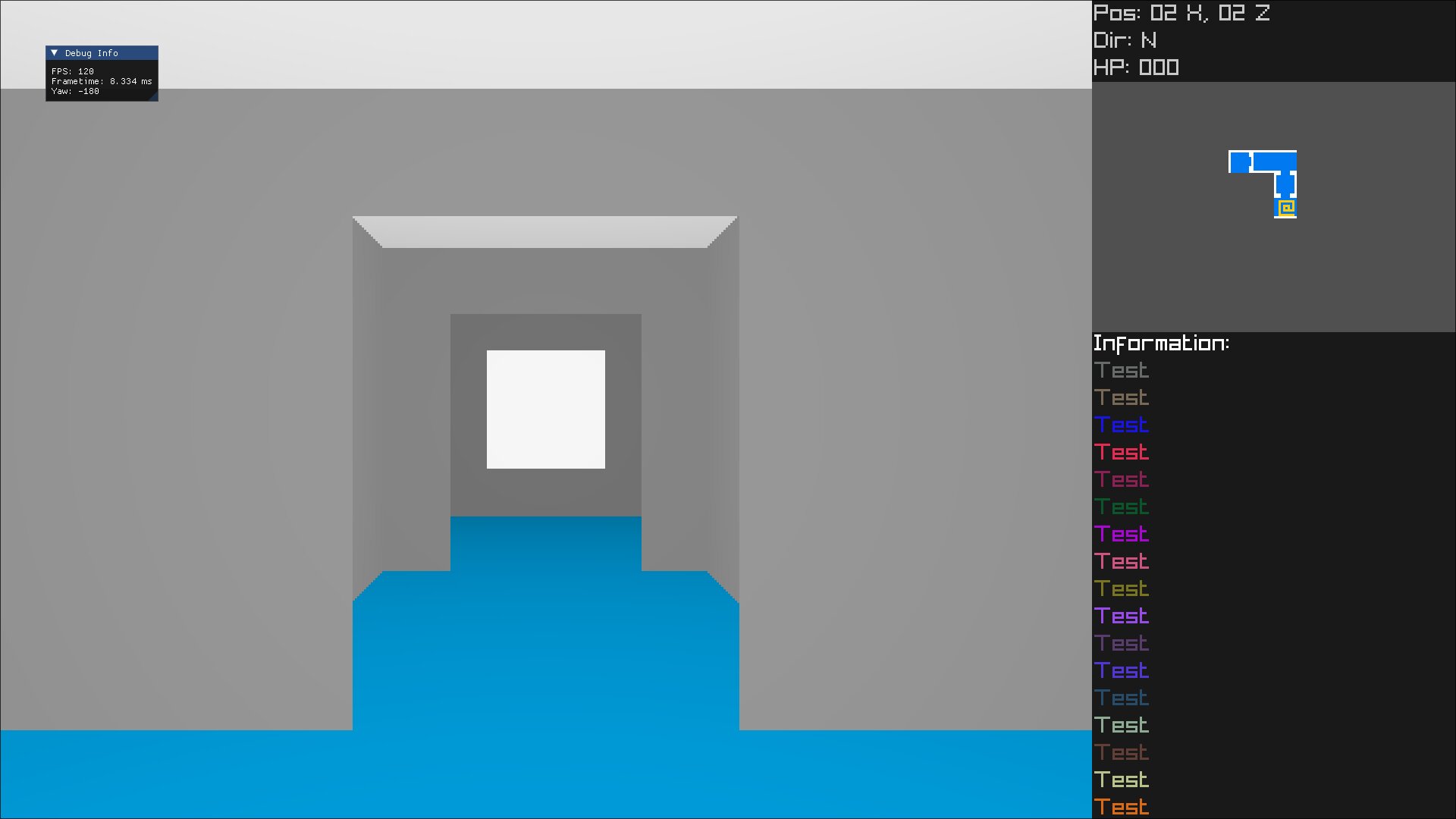
In just a month, it looks a lot more like a proper game!
All of these aspects of the game are, in some regards, design and engineering problems that need to be solved. The really crazy part is…my game’s not done yet; it’s just a prototype. At the time of writing, I only just implemented “enemies”, if you can call them that, who can home in on the player. I haven’t implemented any kind of combat yet, which will add an additional layer of calculations that need to be run during the update cycle, more information that needs to be tracked and drawn on the screen, and probably a whole bunch of other stuff too. So these systems are only going to get more complex and detailed as I continue to add features and enhance existing ones. Sometimes it’s a real challenge, and it takes serious perseverance to sit down and push through unforeseen bugs and technical challenges. But overcoming challenges is just part of what game development is, like with any big creative project. And while I’ve had my share of frustrations, I’ve also had plenty of moments where my code compiles, I run the game and see the new feature working as intended, and I feel great! Getting the path-finding code for enemies implemented was extremely satisfying, for instance.
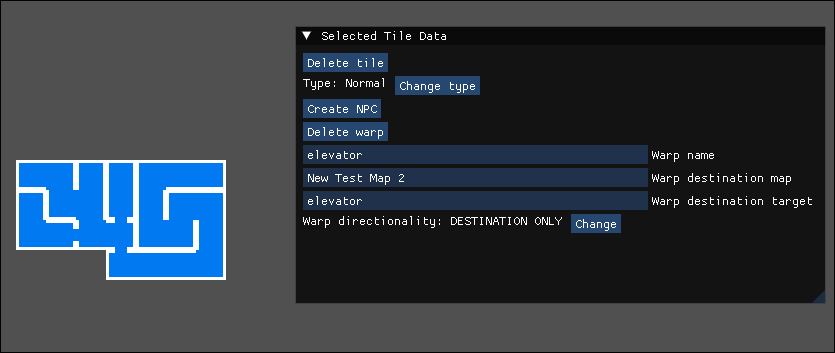
One last thing before I go: here’s an example of what the map editor I created for this game looks like. I recently overhauled the code so that the same routines which draw the in-game mini-map also draw the map in the editor screen. You can use it to define walls, doors, the type of floor and roof appearance for a given tile, as well as whether there’s a warp or NPC on a given tile. You can also edit any of the dialog for a map, too, which makes it nice and versatile.
Thanks for reading, and I hope you found these ramblings insightful! Not sure what I want to write about for the next article, but I’ve definitely got a few topics on my mind. Warning: They may be super nerdy. See you next time!

